
ad platforms
Every advertising account in one view.
Marketing
Every ad platform in one view, matched to what happened next in the CRM.
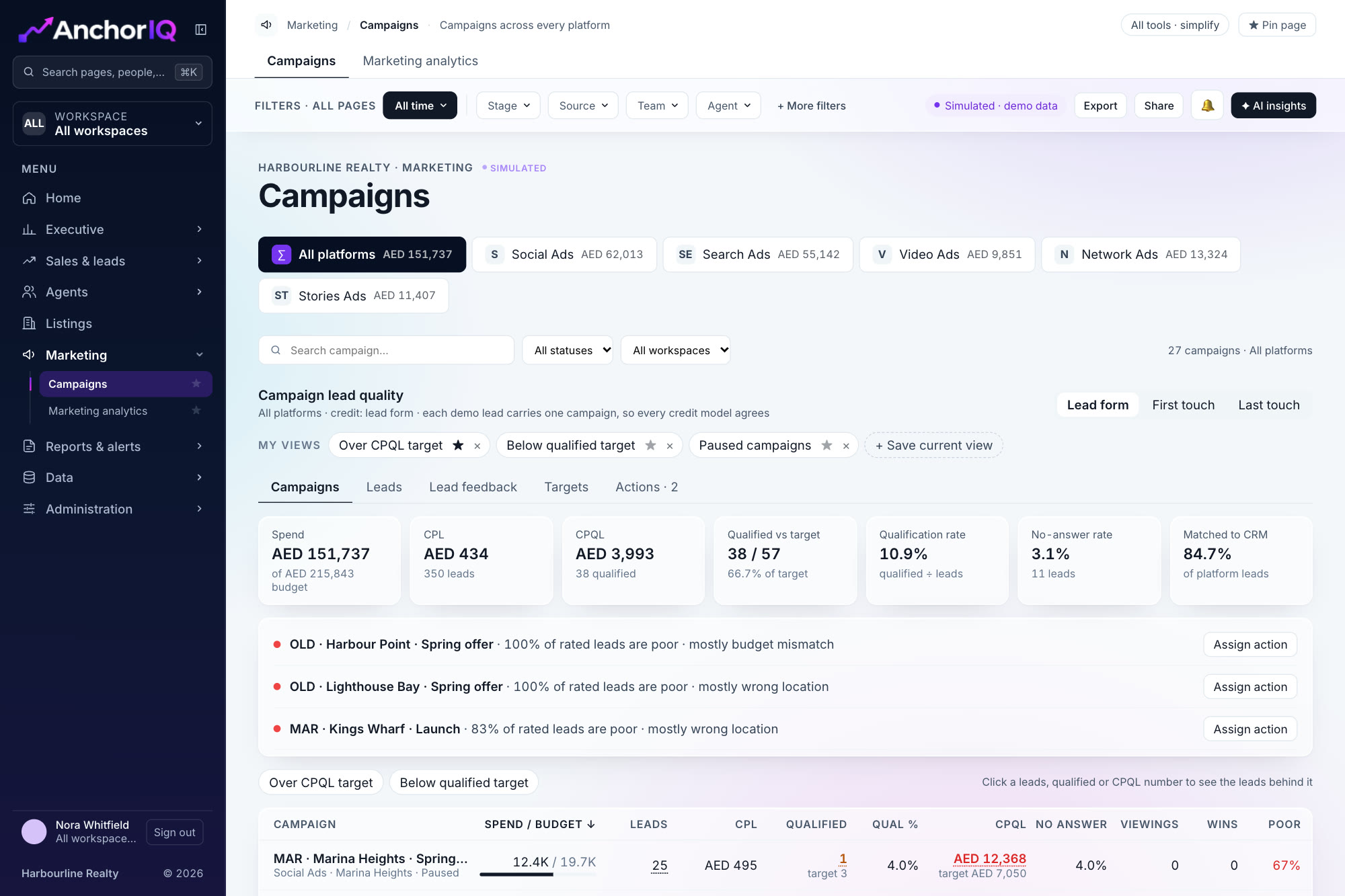
From the AnchorIQ dashboard. Sample data.
ad platforms
Every advertising account in one view.
paid media views
From overview and audience to lead quality and the weekly report.
ways to give credit
Lead form, first touch or last touch.
Point at a screen to see what it shows and what is included.
{{n.p}}
{{n.cta}}Sample data
Select a campaign's leads, qualified or cost figure and the list opens, with each lead's agent, stage and follow-up status. The counts match the table.
Agents rate lead quality: ready to buy, budget mismatch, wrong location
Feedback is summarised by campaign
Set a budget and a cost per qualified lead target per project. Turn a flagged insight into an action with an owner, a due date and a status.
Budget and qualified-lead targets per project
An action tracker: open, in progress, done
Every platform lands in the same table, matched to what happened in the CRM. Point at a box to follow its path.
See your campaigns ranked by qualified leads, not clicks.
Campaigns are ranked by cost per qualified lead and cost per win.
Cheap leads that never qualify are flagged.
Lead quality feedback gives the reason, not just the number.
By campaign ID, phone and email. The share matched is shown for every campaign.
Advertising accounts are planned for the first release, with more platforms in the next. None is connected yet.
Yes. Each lead can be rated, and the reasons are summarised by campaign.