
lead stages
From New to Archive, each with its own count and trend.
Sales and leads
See where each lead stands, how it got there and who needs to act next.
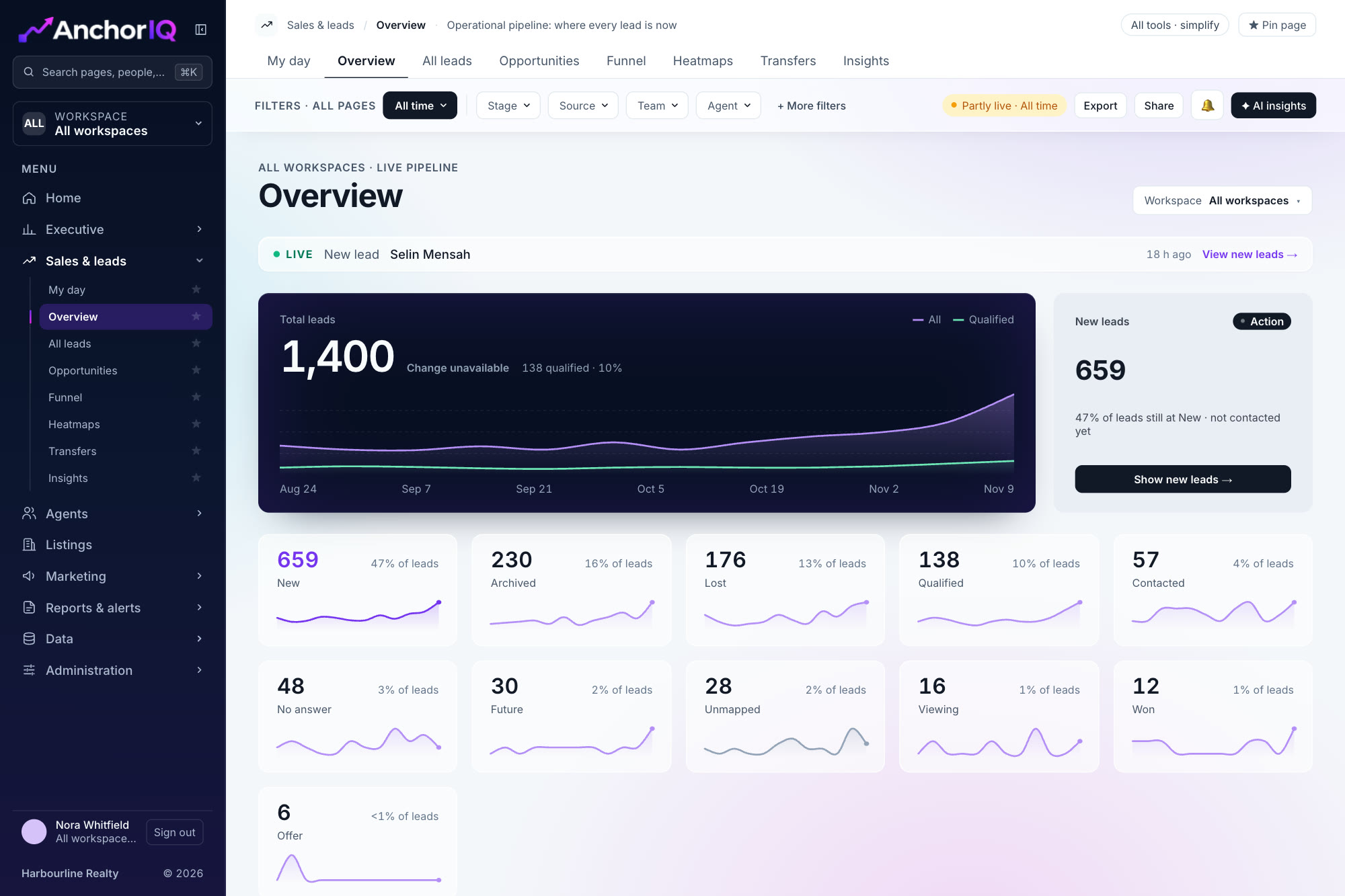
From the AnchorIQ dashboard. Sample data.
lead stages
From New to Archive, each with its own count and trend.
funnel steps
New, contacted, qualified, viewing, offer, won.
fields per lead
Every one included when you export the list.
Point at a screen to see what it shows and what is included.
{{n.p}}
{{n.cta}}Sample data
Heatmaps show lead arrival by weekday and hour, and by community, so cover and budget follow demand.
Weekday by hour heatmap
Lead volume by community
Transfers between agents, with the reason
Six steps every lead moves through. The funnel shows how many reach each one. Point at a stage to highlight it.
See your own pipeline stage by stage on a walkthrough.
The funnel shows the step where most leads stop, and the list behind it.
Sources are compared on qualified leads and wins.
New and overdue leads are surfaced first.
From your CRM. CRM connections are planned for the first release; none is live yet.
Yes. Filter by previous stage to find, for example, leads that dropped from Qualified to No answer.
No. Contact details are masked unless a role has export permission.